
For United Kingdom players who prefer mobile betting and casino access‚ the Pin Up Casino app can be a convenient alternative to using a desktop browser. The Pinup Bet APK is designed for Android users who want quick access to casino games‚ live dealer tables‚ sports betting features‚ and account management tools. However‚ downloading an APK requires more care than installing an application from the official Google Play Store.
This guide explains how to approach the Pinup Bet APK safely‚ what to check before installation‚ how the mobile casino experience compares with browser access‚ and which practical points UK players should consider before depositing.
What Is the Pinup Bet APK?
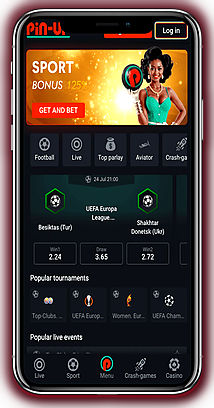
An APK is an Android application package. It allows users to install an app directly on a compatible device rather than downloading it through Google Play. The Pinup Bet APK may provide a mobile interface for accessing casino games‚ promotions‚ payment options‚ and betting markets in one application.
The exact services available can depend on the user’s location‚ the current version of the app‚ and the operator’s licensing arrangements. UK players should always confirm whether the service is legally available to them and whether the platform accepts residents of the United Kingdom under its current terms.
A mobile application can be useful for players who regularly use slots‚ roulette‚ blackjack‚ or live casino games. It may also remember login details‚ offer push notifications‚ and load certain sections more efficiently than a standard mobile website. Nevertheless‚ convenience should not replace basic security checks.
How to Download the APK Safely
The most important step is finding an authentic download source. Avoid links distributed through random forums‚ shortened URLs‚ unofficial social media accounts‚ or messages promising unusually large bonuses. Criminals frequently imitate casino branding to collect passwords‚ payment information‚ or identity documents.
- Visit the official Pin Up Casino website. Use a verified web address and check that the connection uses HTTPS.
- Locate the mobile or app section. The official download button should be clearly connected to the operator’s website.
- Check the file details. Review the application name‚ version‚ publisher information‚ and file size where available.
- Scan the file. Use reputable mobile security software before opening the APK.
- Install only if the source is trusted. If the file appears suspicious or requests excessive permissions‚ cancel the process.
Do not install several different APK files claiming to be the same Pinup application. Multiple versions can contain malware‚ modified payment screens‚ or software that captures personal information.
Android Installation Steps
Android devices normally block APK installations from unknown sources by default. If you decide to install the application‚ the permission should be enabled only for the browser or file manager that is handling the download. On many modern Android phones‚ this setting can be found under Settings > Security and privacy > More security settings > Install unknown apps. Menu names may differ by manufacturer and Android version.
- Download the APK from the operator’s verified website.
- Open the downloaded file from the notification panel or your device’s Downloads folder.
- Allow installation from the relevant source if Android requests permission.
- Review the requested permissions and proceed only if they appear reasonable.
- Complete the installation and disable installation permission again afterward.
- Open the application and verify that its domain‚ branding‚ and login page look authentic.
Keep Android and mobile security software updated. If the app stops working‚ do not immediately download a replacement from a third-party site. First check whether a new version is available through the official Pin Up website or contact support.
Mobile Casino Experience
The main attraction of the Pinup Bet APK is fast access. UK players may be able to move between slots‚ table games‚ live casino rooms‚ and account pages without repeatedly opening a browser. Touch controls are generally suitable for spinning reels‚ selecting chips‚ changing stakes‚ or navigating promotional pages.
Screen size remains a practical consideration. A live blackjack table may feel more comfortable on a tablet than on a compact smartphone‚ while simple slot games usually work well on almost any recent Android device. A stable Wi-Fi or mobile-data connection is also important‚ particularly for live dealer games where interruptions can affect the session.
Before playing for real money‚ test the interface with a demo game if one is available. Check whether the buttons are clearly labelled‚ whether the stake can be changed safely‚ and whether the game displays balance updates correctly. A short test can prevent accidental bets caused by unfamiliar controls.
Mobile browser casino performance tips
Even when the APK is unavailable or unsuitable‚ UK players can use the Pin Up mobile website. These mobile browser casino performance tips can help improve the experience:
- Use a current version of Chrome‚ Safari‚ or another reputable mobile browser.
- Close unused applications before launching a live game.
- Prefer a reliable Wi-Fi connection for streaming dealer tables.
- Clear the browser cache if pages repeatedly load incorrectly.
- Keep the device charged‚ since live video and graphics use additional battery power.
- Do not use public Wi-Fi for deposits‚ withdrawals‚ or identity verification.
A browser version can sometimes be preferable because it avoids installing an APK and receives updates directly from the website. It may also work on iOS devices‚ where APK files are not supported. The best option depends on the phone‚ connection‚ and personal security preferences.
Games Available to Explore
The Pin Up casino lobby may include games from several software providers. Typical categories include classic slots‚ video slots‚ progressive jackpots‚ roulette‚ blackjack‚ baccarat‚ game shows‚ and live dealer titles. Availability can change according to jurisdiction and the operator’s current catalogue.
Slots are usually the simplest place to begin on a mobile device. Players can review paylines‚ volatility‚ minimum stakes‚ maximum win limits‚ and return-to-player information before starting. Roulette and blackjack require more attention to rules and betting options‚ while live games use streaming video and may need a stronger connection.
Demo play and game safety
Demo mode is useful for learning a game’s layout without risking cash‚ although demo results do not guarantee real-money outcomes. Before choosing a title‚ examine the information panel for the paytable‚ rules‚ bonus features‚ and responsible gambling limits.
Games supplied by established developers generally use random number generation or certified live-game procedures. However‚ the safety of the game itself does not automatically prove that every APK download is safe. App authenticity‚ payment security‚ account protection‚ and operator legitimacy must all be assessed separately.
Payments and Account Protection
UK players should review available payment methods before registering. Depending on the service and eligibility rules‚ options may include bank cards‚ e-wallets‚ bank transfers‚ or other supported methods. Always confirm minimum deposits‚ processing times‚ fees‚ and verification requirements before committing funds.
Use a unique password that is not shared with email‚ banking‚ or social media accounts. If two-factor authentication is offered‚ activate it. Never send a password‚ one-time code‚ or full payment details to anyone claiming to represent casino support through an unofficial channel.
Identity checks are common in regulated gambling environments. The operator may request proof of identity‚ address‚ or payment ownership. Submit documents only through the secure account area and avoid sending sensitive files to unknown email addresses or messaging accounts.
Questions UK Players Often Ask
Is the Pinup Bet APK available for iPhone?
No. APK files are intended for Android devices. iPhone and iPad users should use a compatible official mobile website or an application distributed through Apple’s approved channels‚ if available.
Should I download an APK from a third-party website?
It is safer to avoid third-party sources. If the official operator does not provide the file directly‚ do not assume that a similarly named download is genuine.
Can I play without installing the app?
Often‚ a mobile browser version may provide access to many of the same account and gaming functions. Browser access is especially useful for iOS users or anyone who does not want to enable APK installation.
Why does Android block the installation?
Android blocks unknown applications as a security measure. The warning does not prove that the file is harmful‚ but it means you should verify the source carefully before continuing. Disable the permission after installation.
Are winnings guaranteed by using the app?
No. An application only provides access to games and account services. Casino outcomes are uncertain‚ and no APK can improve the mathematical odds of a slot‚ roulette spin‚ or card hand.
Responsible Use in the United Kingdom
Set a budget before playing and treat gambling as entertainment rather than a source of income. Use deposit‚ loss‚ session‚ or cooling-off limits where available. Avoid chasing losses‚ increasing stakes to recover previous results‚ or playing when tired‚ distressed‚ or under the influence of alcohol.
UK players who feel that gambling is becoming difficult to control can seek confidential help from organisations such as GamCare‚ the National Gambling Helpline‚ or NHS-related support services. Blocking software and self-exclusion tools may also be appropriate.
Final Assessment
The Pinup Bet APK can offer a convenient Android route to casino and betting services‚ but safe installation depends on the download source‚ device security‚ account protection‚ and the operator’s suitability for UK residents. Verify the official website‚ scan the file‚ review permissions‚ and keep the installation setting disabled after setup.
For many players‚ the mobile browser remains an equally practical alternative with fewer installation concerns. Whichever format you choose‚ check the current terms‚ confirm available payment methods‚ use responsible gambling tools‚ and never risk more than you can comfortably afford to lose.